BCVR Education
A Dolby Atmos dubbing theatre with a mixing console facing the screen

01 — Online course · Live virtual and recorded · Two weeks on location in London

Want to make sounds for films & drama?

Sound Post-Production for Film & TV · Online course

Dialogue, ADR, sound design, Foley, stereo and Dolby Atmos mixing, delivered to broadcast and cinema standards. Written by Scott Marshall, award-winning sound designer and industry professional, and previous Head of Post-Production and Spatial Audio / Dolby Atmos at ICMP London.

Next cohort starts January 2027 · Small cohorts of around 10

◆ Written & led by an award-winning sound designer

◆ EBU R128, DPP & streaming delivery specs

◆ Dolby Atmos & spatial audio in the box

◆ Site visits & work experience in London post houses

02 — Overview

Learn the invisible art

Post-production sound is where a film or programme is finished. This course takes you from a raw picture lock to a delivered mix: cleaning and editing dialogue, recording ADR and voice-over, building sound design and Foley, then mixing in stereo, 5.1 and Dolby Atmos to the specs broadcasters and streamers actually ask for.

Every module ends with a practical exercise on real footage, so by the end you have a portfolio of finished scenes and a complete short-form mix to show.

20Live lecturesTwo 3-hour lectures a week over ten weeks, live virtual and recorded.
8ModulesFrom industry standards through to the final Atmos mix.
2 WKOn locationTwo vocational weeks at industry post studios in London.
Who it's for

Editors and filmmakers who want to finish their own sound properly.

Music producers and engineers moving into post and broadcast.

Audio graduates and juniors building a post-production portfolio.

03 — Curriculum

Eight modules. One finished mix.

The structure follows a real post schedule: standards and workflow first, then dialogue, effects and Foley, then the mix. Ten weeks are taught online, two three-hour lectures a week, each pairing teaching with a practical workshop on supplied footage and course work submitted as you go. The final two weeks are vocational, on location at industry studios.

Industry standards & post-production workflows

WEEKS 1–2 · ONLINE

What post-production is and how a sound department is organised. Broadcast and film technical standards, EBU R128 loudness, deliverables and stems. Critical listening, psychoacoustics and spatial perception. Session management and template building in Pro Tools.

3 lectures

Pro Tools for post

WEEK 2 · ONLINE

Editing to picture, OMF and AAF conform, track layout and routing for post. The broadcast signal path, bussing and monitoring. Advanced automation mixing and the shortcuts that make a post editor fast.

1 lecture

Dialogue, ADR & voice-over

WEEKS 3–5 · ONLINE

Dialogue editing in Pro Tools, room tone and fills. Advanced noise reduction and restoration with iZotope RX. ADR recording techniques, editing and sync. Narration and voice-over recording for TV and commercials. Dialogue pre-mixing.

5 lectures

Sound design, tracklay & field recording

WEEKS 5–6 · ONLINE

Location and field recording. Creating soundscapes and atmospheres. Sound effects design, editing and manipulation with plugins and synthesis. Tracklay techniques and analysing classic and contemporary film sound.

3 lectures

Foley performance, recording & mixing

WEEK 7 · ONLINE

Microphone technique for Foley. Performing footsteps, cloth and props to picture in a home setup. Editing, sync and mixing Foley into the scene.

2 lectures

Stereo mixing & mastering for TV

WEEKS 7–8 · ONLINE

Short-form and commercial editing and mixing. Stereo mix workshops on a full scene. Mastering for streaming platforms, R128 mastering chains, podcast and Spotify ad delivery. Reading a DPP delivery spec.

2 lectures

Multi-channel, Dolby Atmos & spatial audio

WEEKS 9–10 · ONLINE

5.1 and cinema sound, the final mix and re-mastering. Mixing in Dolby Atmos with the Pro Tools renderer across three workshops. Spatial audio for VR and AR, Ambisonics and binaural delivery.

4 lectures

Vocational weeks at industry studios

WEEKS 11–12 · ON LOCATION, LONDON

Two weeks on location at working post-production studios. Studio visits, time in a professional mix room, sitting in on sessions, and work experience placements where available. How the post industry hires, rates and freelancing, building a showreel, and a one-to-one tutorial on your final mix and your next move.

2 weeks
Full session-by-session syllabus available on request.

Request the full syllabus →

04 — How it works

Taught live. Practised at your own desk.

Live online sessions

Two three-hour lectures a week for ten weeks, screen-shared from a working Pro Tools session. Attend live virtually, and every lecture is recorded to watch again when it suits you.

Project footage & sessions

Picture-locked scenes, ADR scripts, templates and cue sheets supplied for every exercise, so you practise on real material.

Feedback on your work

Mixes reviewed in group playback sessions and a one-to-one tutorial, with written notes you can act on.

Certificate & showreel

Course work assessed to industry standards throughout, a BCVR certificate on completion, and a set of finished scenes, stereo and Atmos, for your reel.

Weeks 11–12 · In the room, not just online

Two vocational weeks at industry studios

Scott works in the industry and the course is built around his ties to it. After the ten online weeks, the cohort spends two weeks on location at working post-production studios in London: site visits, on-site sessions in a professional mix room, and work experience opportunities for students who want to take the next step.

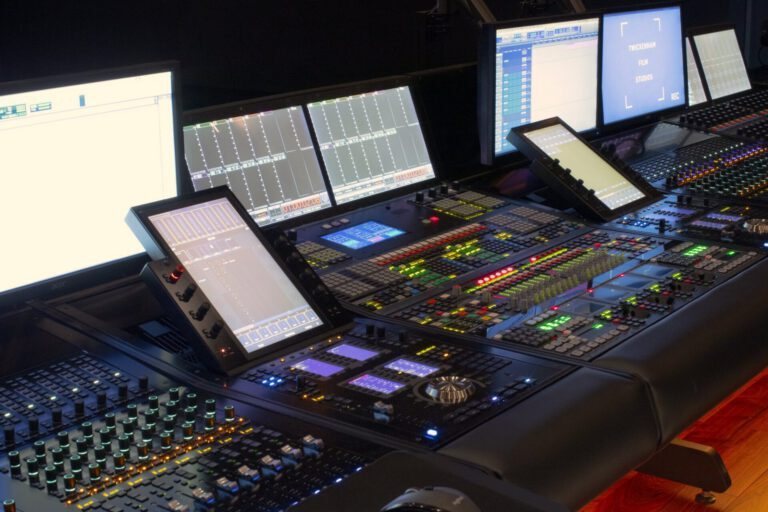
Film mixing console with touchscreens, Twickenham Film Studios
Studio site visitsSee a dubbing theatre, ADR stage and Foley room in use.
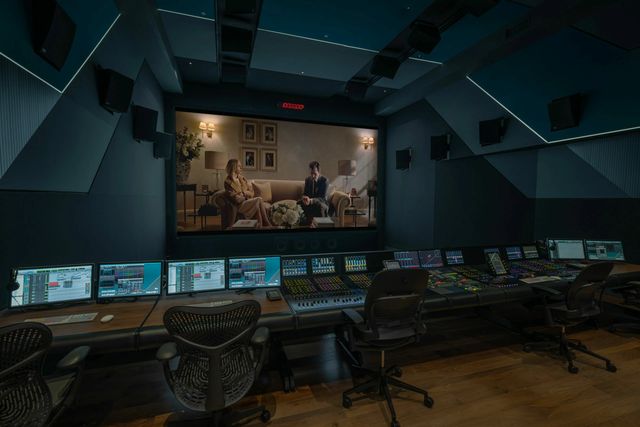
Dubbing theatre with a console facing a cinema screen, Goldcrest Theatre 1
On-site sessionsHands-on time in a professional mix room during the course.
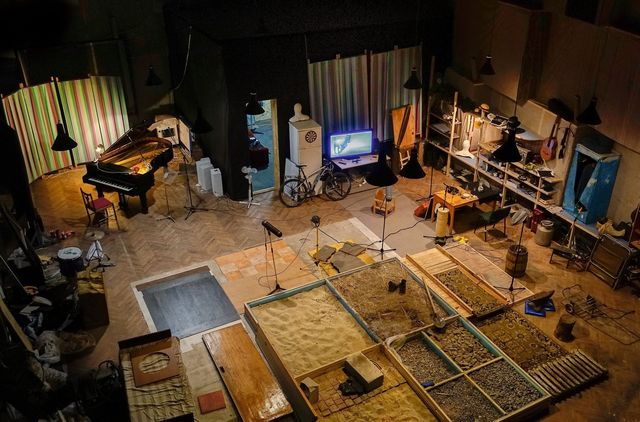
Foley studio seen from above, with surface pits, props and microphones
Foley and work experienceTime on a Foley stage, and placements with London post houses arranged through Scott's network.
What you need

Good working experience in a DAW, preferably Pro Tools; a computer running Pro Tools Artist or Studio; headphones or monitors; and a microphone for the ADR and Foley exercises. iZotope RX Elements or above recommended. The two vocational weeks take place in London; travel and accommodation are at your own cost.

Check the requirements →

05 — Your tutor

Scott Marshall
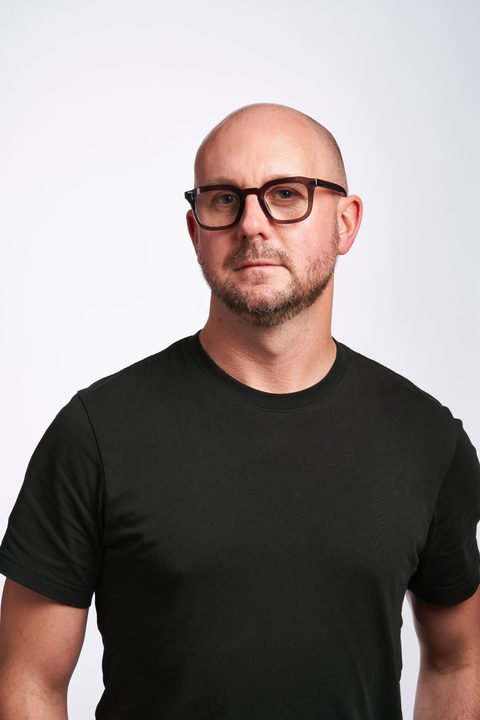
Scott Marshall · Course author

Scott Marshall

Scott is an award-winning sound designer and industry professional, and previous Head of Post-Production and Spatial Audio / Dolby Atmos at ICMP London, where he taught post-production sound to undergraduate and industry cohorts for over a decade.

Outside the classroom he is founder and Creative Director of BCVR Immersive, producing immersive experiences, spatial audio and XR installations for brands and cultural venues, with work recognised at Cannes XR and the V&A London Design Festival. His twenty-plus years in post-production span film, broadcast and commercials, from dialogue editing and ADR supervision to Dolby Atmos mixing.

TeachingICMP London · Previous Head of Post-Production and Spatial Audio / Dolby Atmos
IndustryProdigious (Publicis) · Spatial Audio Consultant and Creator for Shure Audio Ltd · Rupert Films
StudioBCVR Immersive · Bamsound
More about BCVR →

06 — Enrol

Next cohort

StartsJanuary 2027
Commitment10 weeks online, 2 × 3-hour lectures a week · then 2 weeks on location
PlacesAround 10 per cohort
Course fee£1,600 per person · payment plan available

Places are confirmed on payment of a deposit. If the cohort does not run, the deposit is refunded in full.

Reserve a place

Leave your details and Scott will send the full syllabus, a short questionnaire about your setup, and payment options.

No payment taken at this stage. We reply within two working days.

Reserve a place

Thanks, you're on the list.

Scott will reply within two working days with the full syllabus, a short questionnaire about your setup, and payment options.

07 — FAQ

Questions

Anything else, ask when you reserve a place and Scott will answer in his reply.

What do I need before I start?

No certificate, but you need good DAW experience, preferably in Pro Tools, so the course can start with post-production rather than the basics of the software. You should be comfortable building sessions, editing clips and running a basic mix. If you are coming from Logic, Cubase, Reaper or another DAW, tell us on your application and we will point you to a short Pro Tools primer before the start date.

How can Dolby Atmos be taught online?

The Atmos modules use the Dolby Atmos renderer built into Pro Tools Studio and binaural monitoring on headphones, which is how a growing share of Atmos work is actually done. You learn the object and bed workflow, panning, and the delivery formats at your own desk, then hear your mixes in a real theatre during the two vocational weeks in London.

Do I have to be in London?

Not for the first ten weeks, which are fully online. Weeks 11 and 12 are vocational and take place on location at post-production studios in London, so you will need to be in London for those two weeks. Dates are confirmed at enrolment so you can plan travel.

What if I miss a live lecture?

Every lecture is recorded and available the next day, with the session files and exercise footage. You can still submit the exercise for feedback.

Is game audio covered?

No. This course is focused on linear post-production for film, television, streaming and commercials, plus spatial audio for VR and AR. Interactive and game audio middleware is not part of the syllabus.

Is there a payment plan?

Yes. The fee can be paid in full, or as a deposit followed by monthly instalments across the course. Details are sent with the syllabus.